by | Feb 26, 2024 | News
What's changing
You can now import and convert sensitive Excel files into Google Sheets with client-side encryption. When collaborating with external and internal stakeholders, you may find yourself working across both Google Sheets and Microsoft Excel. This update keeps your work moving by layering interoperability on top of the privacy benefits of client-side encryptionusers are in direct control of their encryption keys and the identity service that they choose to authenticate for those keys.
This feature was previously announced in August 2023 as part of an open beta.
Additional details
With this release:
You can only import .xslx Excel file types. Additional Excel and tabular file types are not supported. During import, unsupported Excel features in Sheets will be ignored. The maximum file size is 10MB. The maximum number of cells that can be imported is 10 million.
Rollout pace
Availability
Available to Google Workspace Enterprise Plus, Education Plus, and Education Standard customers
Resources
by | Feb 23, 2024 | News
1 New update
Unless otherwise indicated, the features below are available to all Google Workspace customers, and are fully launched or in the process of rolling out. Rollouts should take no more than 15 business days to complete if launching to both Rapid and Scheduled Release at the same time. If not, each stage of rollout should take no more than 15 business days to complete.
New way to use smart canvas in Google Docs
We're introducing a new feature in Google Docs that utilises
smart canvas to boost productivity and streamline your workflow. Starting this week, you will see suggestions for email autocomplete, followed by a
people chip conversion option using the Tab key. | Rolling out to
Rapid Release domains now; launch to
Scheduled Release domains planned fo
r March 7, 2024. | Available to all Google Workspace customers, Google Workspace Individual subscribers, and users with personal Google accounts. | Learn more about and
inserting smart chips in your Google Doc.
Previous announcements
The announcements below were published on the Workspace Updates blog earlier this week. Please refer to the original blog posts for complete details.
Updates to the Google Workspace Marketplace
End users can now discover and install Google Chat apps from the Google Workspace Marketplace. Additionally, users can now open the Google Workspace Marketplace directly from within Chat. | Learn more about
Workspace Marketplace and Chat apps. Introducing Gemini for Google Workspace, plus more AI offerings to better meet your business needs
On February 8, we announced the
next chapter of our Gemini era. As part of this change, starting today, the
Duet AI for Google Workspace Enterprise add-on is now called Gemini Enterprise.We're also introducing Gemini Business, which is available to new and existing Google Workspace customers (see the availability section below for more details). Gemini Business is a Workspace add-on subscription which provides a subset of the generative AI features available in Gemini Enterprise, subject to monthly usage limits. | Learn more about
Gemini for Google Workspace. Updated user interface for signing in to or signing up for your Google Account
We're updating the look and feel of our sign-up and sign-in pages with a more modern look, which is in-line with the Material Design across our other products. You'll see the updated interface across web and mobile devices. | Learn more about
the updated interface. The Google Meet API is now generally available
In November 2023, we announced the availability of the Google Meet API through our Developer Preview Programme. Beginning this week, the Google Meet API is generally available. | Learn more about
the Google Meet API. Check in to your meeting room directly from the Google Meet green room
One of the challenges of joining a virtual meeting from a conference room, is that the people in the room are identified by the name of the conference room rather than as individuals. Google Meet's room check-in feature helps ensure everyone in the meeting can see your name and be aware of your presence. | Learn more about
Google Meet's room check-in.
by trace-admin | Feb 23, 2024 | Gemini
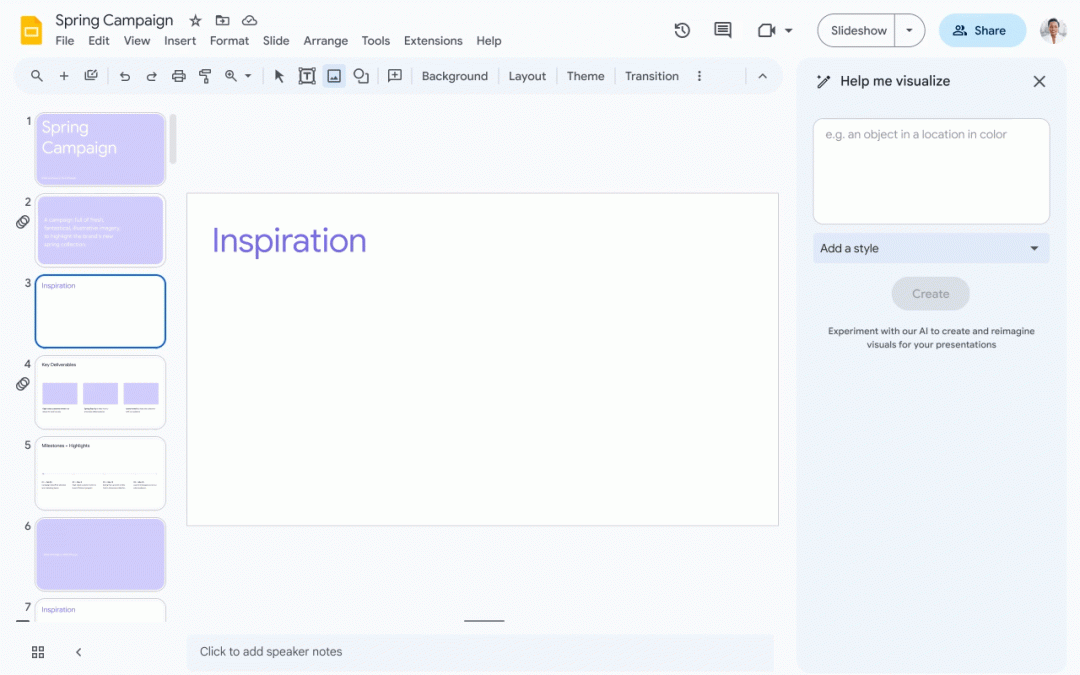
BrainstormingRunning out of ideas? Just describe your topic or objective and Gemini will generate sketches, suggest images and create different presentation styles. Thanks to AI, it sparks inspiration and helps you quickly build a captivating narrative.
Contents: Say goodbye to clumsy, poorly written text. Gemini analyses your content, suggesting concise alternatives, refining your message and even generating data-based visualisations. Whether it's injecting humour or ensuring clarity, Gemini makes sure your slides resonate with your audience.
Design: Forget about struggling with design tools. Gemini helps you create visually stunning slides by suggesting relevant images and layouts. It generates unique backgrounds and adapts your presentation to different audiences, ensuring a professional and impactful visual experience.
by trace-admin | Feb 23, 2024 | Gemini
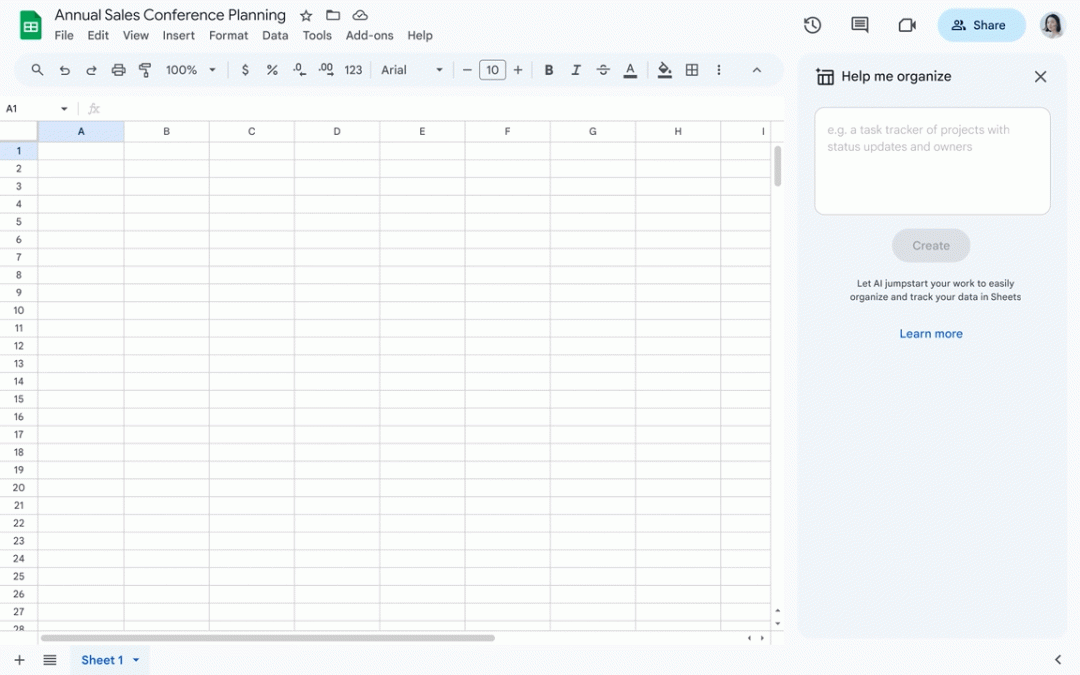
It's time to say goodbye to the complications of traditional spreadsheets and welcome the efficiency of artificial intelligence. Google Gemini represents the future of data analysis in spreadsheets, offering an intelligent and innovative vision for every data set. Save hours of work by making data cleaning and formatting a task of the past. With the ability to automatically categorise information, identify duplicates and complete missing data, Gemini converts raw data into organised, actionable content instantly.
Ideal for professionals looking to maximise their productivity, this innovative solution promises to be a game changer in data management.
Analysing made simple: Discover trends and patterns with ease
Forget complicated formulas and manual calculations. Gemini is able to identify trends, patterns and even generate summaries and visualisations effectively. Whether for sales forecasts or customer behaviour analysis, Gemini offers valuable input at the click of a button, making data analysis simpler and more accessible than ever.
Content creation: Automate reports and presentations
Transform report writing and presentation creation with Gemini's automated storytelling. This powerful tool makes it easy to communicate essential information in a clear and impactful way, allowing you to generate detailed reports, dynamic graphics and adapt the message to the target audience directly in Google Sheets. Gemini is your AI assistant for creating compelling content effortlessly.
by trace-admin | Feb 22, 2024 | Gemini
Worry no more! Google Gemini, your AI writing companion in Google Docs, has arrived to revolutionise your document creation process. Imagine a partner that helps you come up with ideas, create compelling sentences and polish your prose to perfection. That's exactly what Gemini brings to the table.
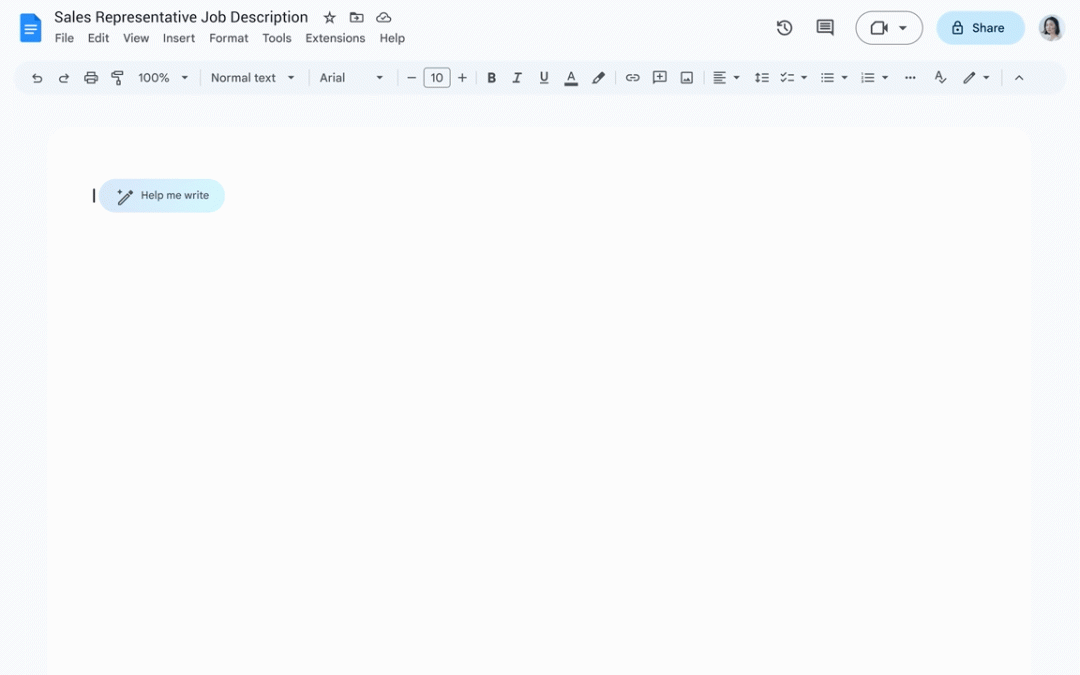
Firstly, Gemini's "Help me write" feature ignites your creative flame. Simply explain your topic or idea and Gemini generates outlines, drafts and even different writing styles to get you started on your project. Say goodbye to blank page anxiety and hello to a stream of inspiration!
But Gemini's magic doesn't stop there. It analyses existing text, suggesting alternative phrases, correcting grammar and improving clarity. Whether you're drafting a formal report or an informal email, Gemini ensures that your writing is polished and has impact. You don't need to be a grammar guru or a wordsmith extraordinaire - Gemini lets you communicate with confidence.
Beyond the mechanics, Gemini goes deeper, offering suggestions for improving tone, conciseness and overall effectiveness. Need to inject humour into your presentation? Gemini can help. Want to ensure that your emails strike the right balance between professional and personal? Gemini will help you. By adapting its suggestions to your specific needs and objectives, Gemini takes your writing to new heights.
So ditch the effort and embrace the future of document creation with Google Gemini. Whether you're an experienced writer or just starting out, Gemini is your intelligent co-pilot, guiding you to clear, impactful and well-written documents effortlessly.


