Ce qui change
For the last few months, users with the Gemini for Google Workspace add-ons and Gemini Education add-ons have used Gemini in the side panel of Gmail, Docs, Sheets, Slides, and Drive to assist them with summarizing, analyzing, and generating content through insights gathered from their emails, documents, and more. Earlier this month, Gemini add-on subscribers began using Gemini in Google Chat for résumés of unread conversations in the home view.
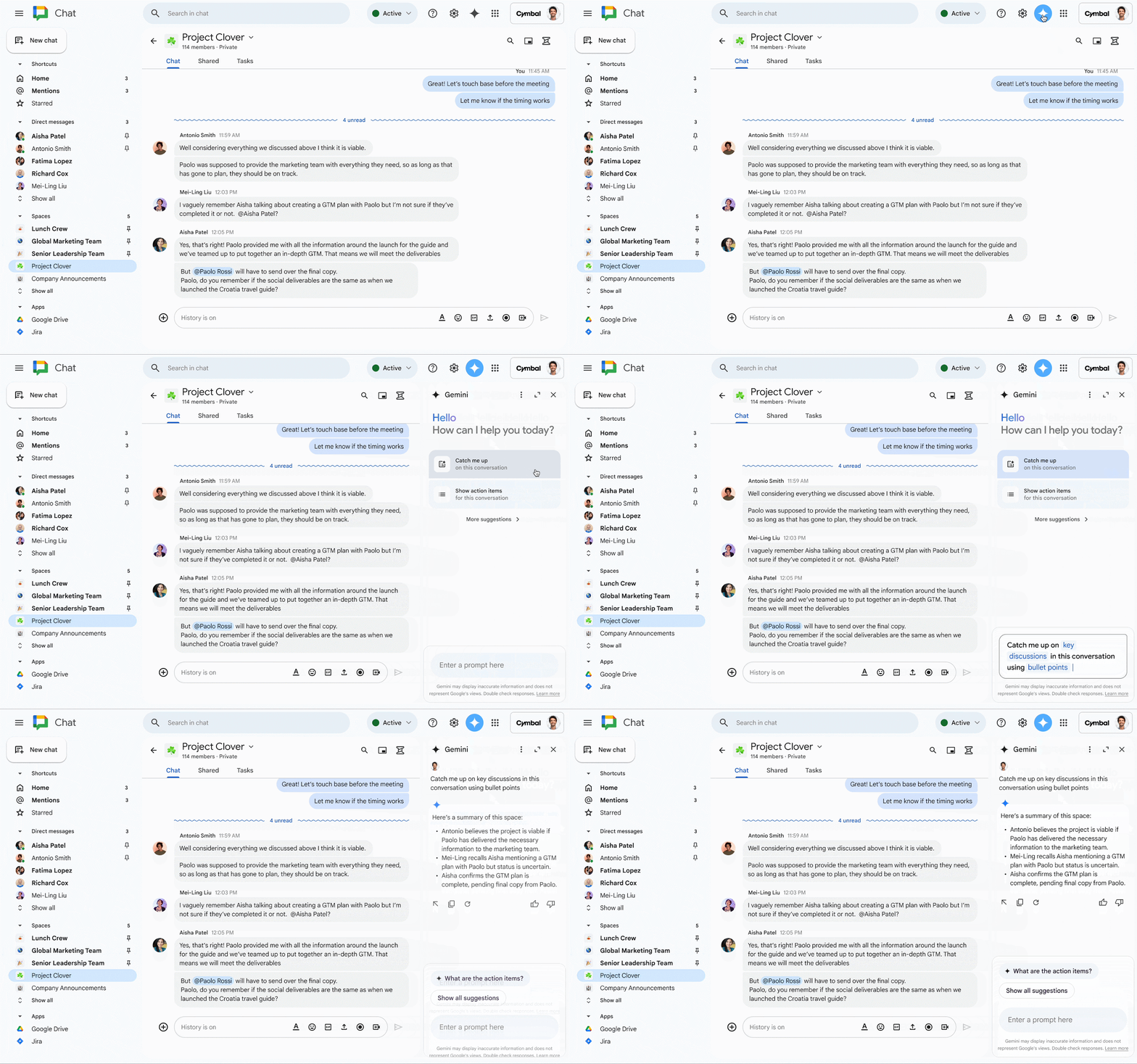
Today, we’re expanding Gemini in Chat to help users collaborate more effectively in their spaces, group messages and direct messages. With Gemini in the side panel of Chat, you can:
- Summarize a space or conversation. Examples include asking Gemini the following:
- “Summarize this conversation.”
- “What are the key takeaways in this conversation?”
- After an initial summary is generated, you can ask for a longer summary, “Give me a detailed summary of [topic] discussed in this space.”
- Generate a list of action items from that space or conversation, such as:
- “What are the action items in this conversation?”
- “Are there any action items for me in this conversation?”
- “Summarize [person’s] action items in this space”
- Answer specific questions about that space or conversation by asking:
- “What did [person] say about the timeline extension in this space?”
- “What’s the decision on the project discussed in this conversation?”
Qui est concerné ?
Utilisateurs finaux
Pourquoi l'utiliser ?
Gemini in the side panel of Chat enables you to better collaborate with your team by helping you quickly catch up on missed conversations, capture action items, or search for key details that are easy to miss in a fast-moving space.
Détails supplémentaires
At this time, Gemini in the side panel of Chat can summarize and analyze messages in the conversation that you are currently viewing. It will not summarize or analyze context across your entire Chat conversation history, your Gmail inbox or your Drive files.
Pour commencer
- Administrateurs: To access Gemini in the side panel of Workspace apps, users need to have smart features and personalization turned on. Admins can activer les paramètres de personnalisation par défaut pour leurs utilisateurs dans la console d'administration.
- Utilisateurs finaux :
On web from chat.google.com, click on a space, thread, or message, then click the “Ask Gemini” icon at the top of the page to open Gemini in the side panel of Chat. From there, you can select from suggested prompts or type in your own query. Visit the Help Center to learn more about collaborating with Gemini in Google Chat and ensuring your smart feature settings are turned on.
Rythme de déploiement
- Domaines à libération rapide: Gradual rollout (up to 15 days for feature visibility) starting on November 1, 2024
- Domaines de diffusion prévus: Full rollout (1–3 days for feature visibility) starting on November 18, 2024
Disponibilité
Available for Google Workspace customers with a:
- Gémeaux Business and Enterprise add-on
- Gémeaux Education and Education Premium add-on