by | Feb 27, 2024 | News
What's changing
Earlier this year, we introduced cloud-encrypted 1:1 video calls between users in the same domain using the Meet mobile app. In the coming weeks, users from outside of your domain will be able to initiate 1:1 video calls with your users and vice versa. Admins will be able to pre-configure this functionality as on or off for their users with a new admin control. The timeline for this update is as follows:
Admin control for restricting external calls placed directly to a user via their email: Admins will start seeing the new control beginning today. Note that this admin setting does not apply to external calls placed to a users' legacy account. Visit the Help Centre to learn more about how to restrict legacy calls.
End user availability: The external calling feature will start rolling out to end users beginning in April.
Who's impacted
Admins and end users
Why it matters
1:1 cloud-encrypted video calling in the Meet mobile app makes it easier to connect with others by significantly reducing the need to create meeting links ahead of time. We're expanding these 1:1 cloud-encrypted calls to allow users outside of your domain to initiate 1:1 calls, making it easier to connect with your external partners and stakeholders. However, to ensure external contact is appropriate, admins can turn this functionality on or off for their users.
Getting started
By default, users can receive calls only from contacts and other users in the organisation. You can use the new admin switch to enable calls from outside your domain at the OU level. Visit the Help Centre to learn more about
restricting who can call users in your organisation with Google MeetNote: This setting affects only Google Meet calling, not legacy services (formerly known as Duo) or calling in Google Chat. This also does not affect the ability to join meetings. Visit the Help Centre to learn more about turning Meet legacy calling on or off for your users. Note that If you have
legacy calling enabled for your users, they will have access to features previously found in Duo (group calls, messages, moments, family mode, etc.) if they have not upgraded to the new Meet app.
End users:
Rollout pace
Availability
Available to all Google Workspace customers
by | Feb 27, 2024 | News
What's changing
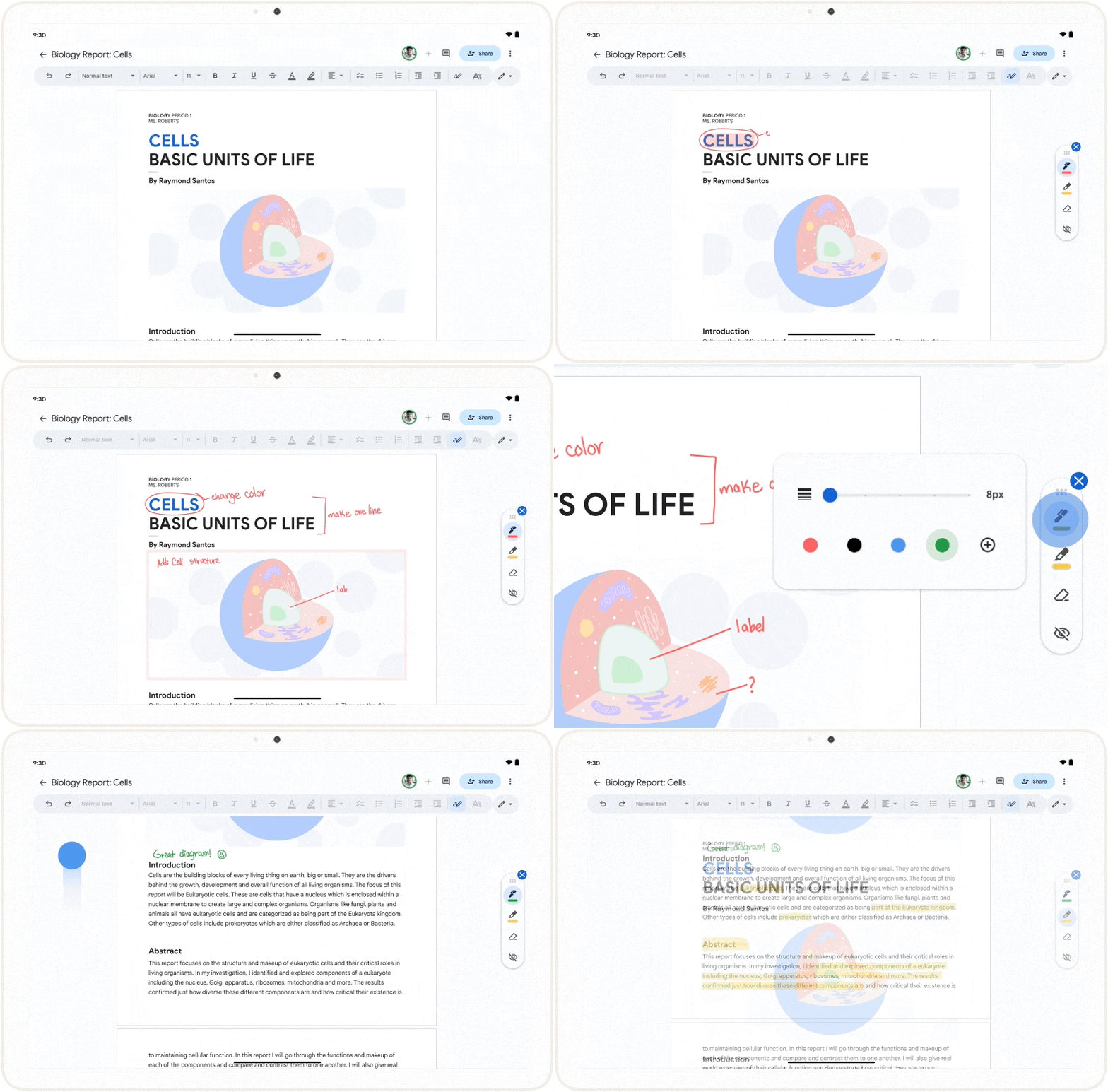
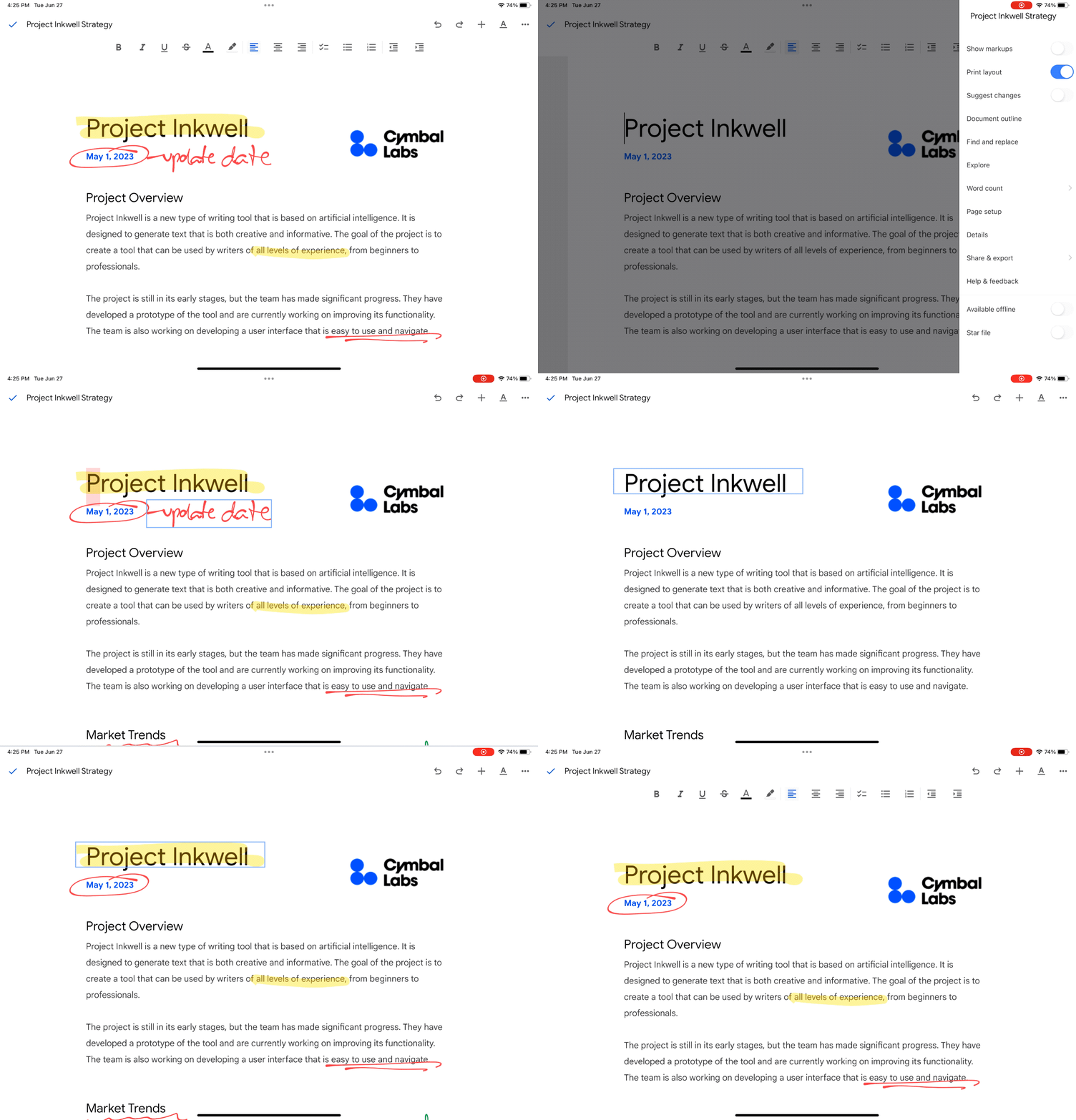
We're excited to announce a new feature, markups in Google Docs, which gives you more flexibility when providing feedback in a document. The new markups experience lets you add handwritten annotations to documents with a stylus or your finger when using an Android device.
Markups can be useful in numerous scenarios, such as:
Colleagues giving each other handwritten feedback on diagrams, charts, reports or proposals. Educators giving students feedback on their essays, reports, short stories and more. A homeowner providing ideas or updates on construction plans from their contractor. In order to add annotations, you must use an Android device. From there, you can:
Enter the markups mode and annotate using pen or highlighter tools Hide/show markups Erase markups Insert suggested markups
On iOS devices, you can:
View a document with markups Delete markups Hide/show markups
On desktop, you can:
View a document with markups Delete markups Hide/show markups
Getting started
Admins: There is no admin control for this feature. End users: To turn on markups, open a document > select the markups tool from the contextual toolbar > draw with your finger or stylus.
Rollout pace
Availability
Available to all Google Workspace customers, Google Workspace Individual subscribers, and users with personal Google accounts
by | Feb 26, 2024 | News
What's changing
The Groups Admin role can now be assigned for security groups or non-security groups. Previously, those with the Groups Admin role had access to all groups within an organisation. This change gives administrators more granular delegation of group admin responsibilities, helping limit access to the most sensitive groups to only those who absolutely need it.
This feature is available in open beta, which means no additional sign-up is required to use the feature.
Getting started
Rollout pace
Availability
Available to Google Workspace Enterprise Standard, Enterprise Plus, Education Plus, and Education Standard customers
Resources
by | Feb 26, 2024 | News
What's changing
Last year, we announced that all newly created spaces in Google Chat will be in-line threaded. This streamlined user experience enables you to reply to any message and create a separate discussion isolated from the main conversation. We also introduced several updates, such as
home, mentions and
starred messages to help you find what you need much faster in Chat.
Today, we're continuing our enhancements across Chat by improving the in-line threaded experience in spaces. With multiple threads across numerous spaces, we know it can be difficult to identify which unread threads are most relevant to you. In order to provide you with more context upfront, you will now see participant avatars for unread threads in the conversation view. Without having to click to open the thread side panel, it will now be much easier to decide which threads to read and reply to.
Who's impacted
End users
Why you'd use it
Being able to see the participant avatars for unread threads makes it easier to identify whether a thread is relevant to you.
Getting started
Admins: There is no admin control for this feature. End users: This will be ON by default. Visit the Help Centre to
learn how to use Google Chat.
Rollout pace
Web:
Android:
Availability
Available to all Google Workspace customers, Google Workspace Individual subscribers, and users with personal Google accounts
Resources
by | Feb 26, 2024 | News
What's changing
You can now import and convert sensitive Excel files into Google Sheets with client-side encryption. When collaborating with external and internal stakeholders, you may find yourself working across both Google Sheets and Microsoft Excel. This update keeps your work moving by layering interoperability on top of the privacy benefits of client-side encryptionusers are in direct control of their encryption keys and the identity service that they choose to authenticate for those keys.
This feature was previously announced in August 2023 as part of an open beta.
Additional details
With this release:
You can only import .xslx Excel file types. Additional Excel and tabular file types are not supported. During import, unsupported Excel features in Sheets will be ignored. The maximum file size is 10MB. The maximum number of cells that can be imported is 10 million.
Rollout pace
Availability
Available to Google Workspace Enterprise Plus, Education Plus, and Education Standard customers
Resources
by | Feb 23, 2024 | News
1 New update
Unless otherwise indicated, the features below are available to all Google Workspace customers, and are fully launched or in the process of rolling out. Rollouts should take no more than 15 business days to complete if launching to both Rapid and Scheduled Release at the same time. If not, each stage of rollout should take no more than 15 business days to complete.
New way to use smart canvas in Google Docs
We're introducing a new feature in Google Docs that utilises
smart canvas to boost productivity and streamline your workflow. Starting this week, you will see suggestions for email autocomplete, followed by a
people chip conversion option using the Tab key. | Rolling out to
Rapid Release domains now; launch to
Scheduled Release domains planned fo
r March 7, 2024. | Available to all Google Workspace customers, Google Workspace Individual subscribers, and users with personal Google accounts. | Learn more about and
inserting smart chips in your Google Doc.
Previous announcements
The announcements below were published on the Workspace Updates blog earlier this week. Please refer to the original blog posts for complete details.
Updates to the Google Workspace Marketplace
End users can now discover and install Google Chat apps from the Google Workspace Marketplace. Additionally, users can now open the Google Workspace Marketplace directly from within Chat. | Learn more about
Workspace Marketplace and Chat apps. Introducing Gemini for Google Workspace, plus more AI offerings to better meet your business needs
On February 8, we announced the
next chapter of our Gemini era. As part of this change, starting today, the
Duet AI for Google Workspace Enterprise add-on is now called Gemini Enterprise.We're also introducing Gemini Business, which is available to new and existing Google Workspace customers (see the availability section below for more details). Gemini Business is a Workspace add-on subscription which provides a subset of the generative AI features available in Gemini Enterprise, subject to monthly usage limits. | Learn more about
Gemini for Google Workspace. Updated user interface for signing in to or signing up for your Google Account
We're updating the look and feel of our sign-up and sign-in pages with a more modern look, which is in-line with the Material Design across our other products. You'll see the updated interface across web and mobile devices. | Learn more about
the updated interface. The Google Meet API is now generally available
In November 2023, we announced the availability of the Google Meet API through our Developer Preview Programme. Beginning this week, the Google Meet API is generally available. | Learn more about
the Google Meet API. Check in to your meeting room directly from the Google Meet green room
One of the challenges of joining a virtual meeting from a conference room, is that the people in the room are identified by the name of the conference room rather than as individuals. Google Meet's room check-in feature helps ensure everyone in the meeting can see your name and be aware of your presence. | Learn more about
Google Meet's room check-in.
by trace-admin | Feb 23, 2024 | Gemini
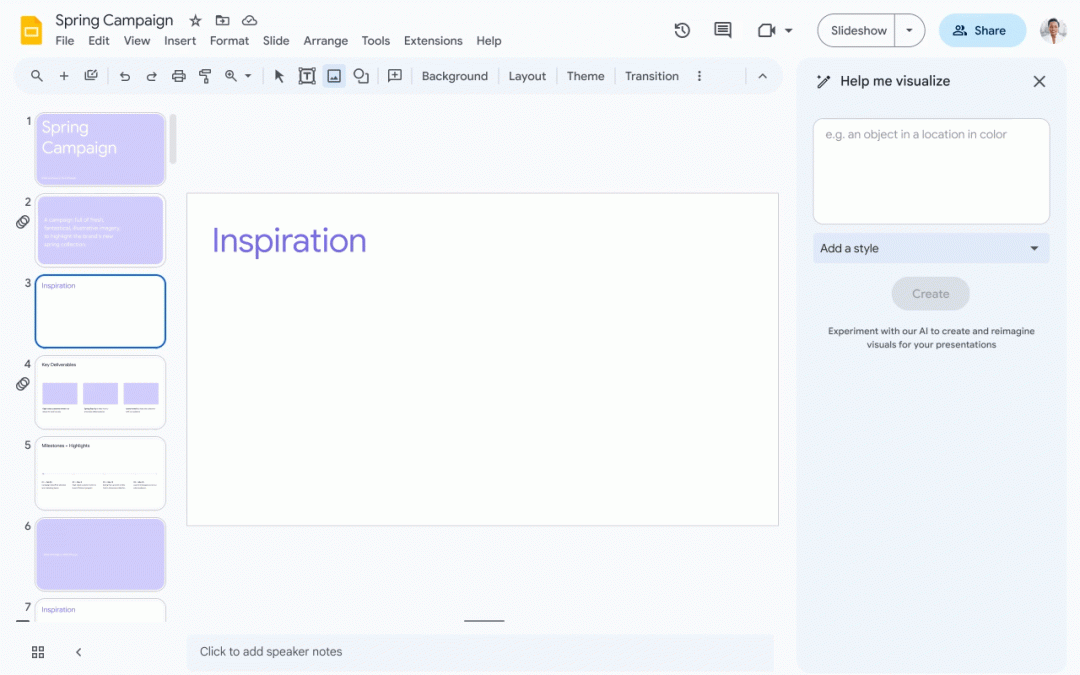
BrainstormingRunning out of ideas? Just describe your topic or objective and Gemini will generate sketches, suggest images and create different presentation styles. Thanks to AI, it sparks inspiration and helps you quickly build a captivating narrative.
Contents: Say goodbye to clumsy, poorly written text. Gemini analyses your content, suggesting concise alternatives, refining your message and even generating data-based visualisations. Whether it's injecting humour or ensuring clarity, Gemini makes sure your slides resonate with your audience.
Design: Forget about struggling with design tools. Gemini helps you create visually stunning slides by suggesting relevant images and layouts. It generates unique backgrounds and adapts your presentation to different audiences, ensuring a professional and impactful visual experience.
by trace-admin | Feb 23, 2024 | Gemini
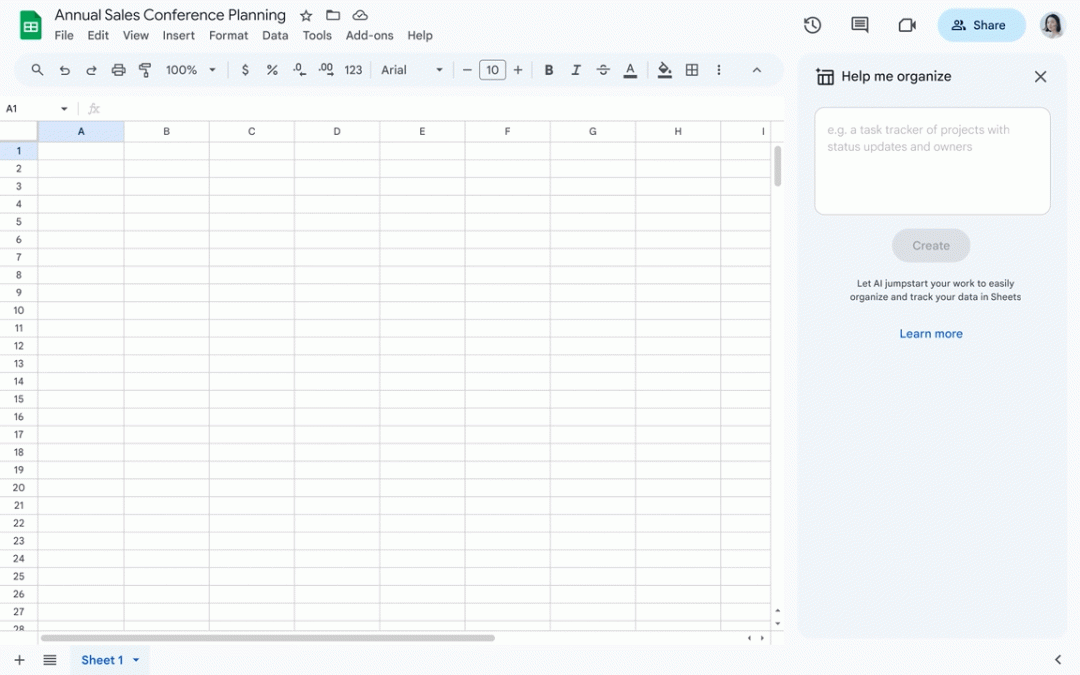
It's time to say goodbye to the complications of traditional spreadsheets and welcome the efficiency of artificial intelligence. Google Gemini represents the future of data analysis in spreadsheets, offering an intelligent and innovative vision for every data set. Save hours of work by making data cleaning and formatting a task of the past. With the ability to automatically categorise information, identify duplicates and complete missing data, Gemini converts raw data into organised, actionable content instantly.
Ideal for professionals looking to maximise their productivity, this innovative solution promises to be a game changer in data management.
Analysing made simple: Discover trends and patterns with ease
Forget complicated formulas and manual calculations. Gemini is able to identify trends, patterns and even generate summaries and visualisations effectively. Whether for sales forecasts or customer behaviour analysis, Gemini offers valuable input at the click of a button, making data analysis simpler and more accessible than ever.
Content creation: Automate reports and presentations
Transform report writing and presentation creation with Gemini's automated storytelling. This powerful tool makes it easy to communicate essential information in a clear and impactful way, allowing you to generate detailed reports, dynamic graphics and adapt the message to the target audience directly in Google Sheets. Gemini is your AI assistant for creating compelling content effortlessly.
by trace-admin | Feb 22, 2024 | Gemini
Worry no more! Google Gemini, your AI writing companion in Google Docs, has arrived to revolutionise your document creation process. Imagine a partner that helps you come up with ideas, create compelling sentences and polish your prose to perfection. That's exactly what Gemini brings to the table.
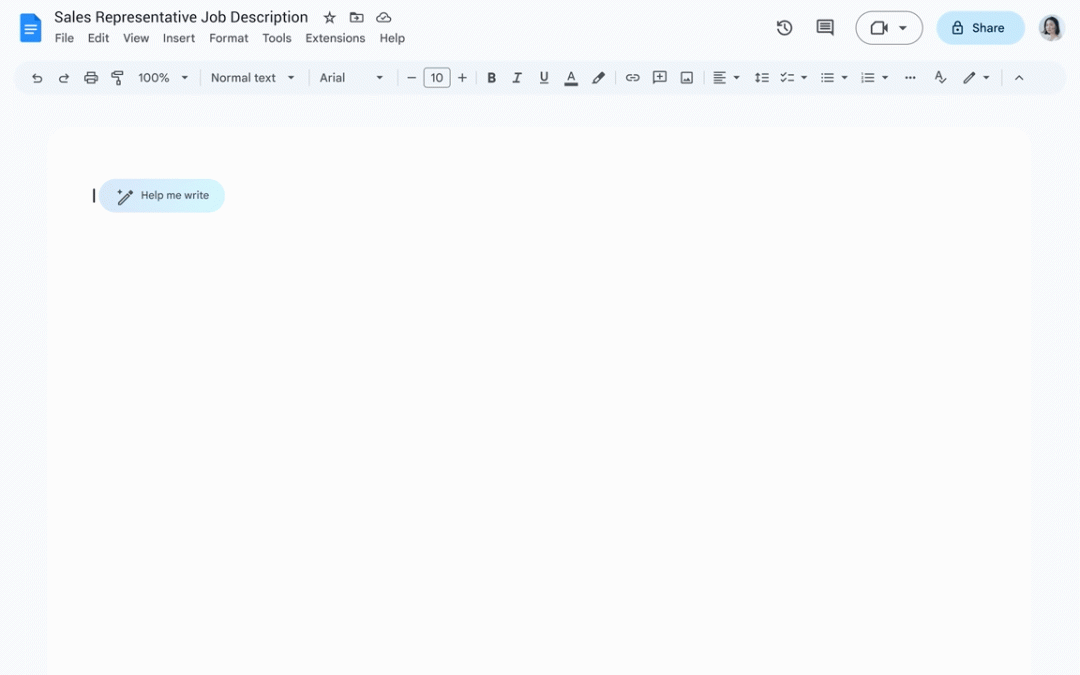
Firstly, Gemini's "Help me write" feature ignites your creative flame. Simply explain your topic or idea and Gemini generates outlines, drafts and even different writing styles to get you started on your project. Say goodbye to blank page anxiety and hello to a stream of inspiration!
But Gemini's magic doesn't stop there. It analyses existing text, suggesting alternative phrases, correcting grammar and improving clarity. Whether you're drafting a formal report or an informal email, Gemini ensures that your writing is polished and has impact. You don't need to be a grammar guru or a wordsmith extraordinaire - Gemini lets you communicate with confidence.
Beyond the mechanics, Gemini goes deeper, offering suggestions for improving tone, conciseness and overall effectiveness. Need to inject humour into your presentation? Gemini can help. Want to ensure that your emails strike the right balance between professional and personal? Gemini will help you. By adapting its suggestions to your specific needs and objectives, Gemini takes your writing to new heights.
So ditch the effort and embrace the future of document creation with Google Gemini. Whether you're an experienced writer or just starting out, Gemini is your intelligent co-pilot, guiding you to clear, impactful and well-written documents effortlessly.
by | Feb 21, 2024 | News
What's changing
In November 2023, we announced the availability of the Google Meet API through our Developer Preview Programme. Beginning today, the Google Meet API is generally available. You can use the Meet API to:
Programmatically create and configure Meet calls Retrieve information about past meetings, such as the meeting times and attendees. Access meeting artifacts, such as transcripts and video recordings Subscribe to real time updates on meetings, such as when a participant joins or leaves
Who's impacted
Admins and developers
Why you'd use it
Integrating the Meet API in your product with the Google Meet API streamlines workflows and provides your product with Meet information that easily enhances your product offering. For example, partners such as Hubspot, Outreach, Salesforce, and Salesloft currently integrate the Meet API into their solutions to pull meeting recordings and artifacts into their conversational intelligence tools for analysis and sales coaching.
Getting started
Rollout pace
Available now.
Availability
Available to all Google Workspace customers
Resources